TechNexion TEVS Camera for ST STM32N6570-DK
Introduction
TechNexion Embedded Vision Solutions provide embedded system developers access to high-performance, industrial-grade camera solutions to accelerate their time to market for embedded vision projects.
Support Camera Modules
| Camera Series | Products |
|---|---|
| TEVS | TEVS-AR0144 TEVS-AR0145 TEVS-AR0234 TEVS-AR0235 TEVS-AR0246 TEVS-AR0521 TEVS-AR0522 TEVS-AR0544 TEVS-AR0821 TEVS-AR0822 TEVS-AR0830 TEVS-AR1335 TEVS-AR2020 |
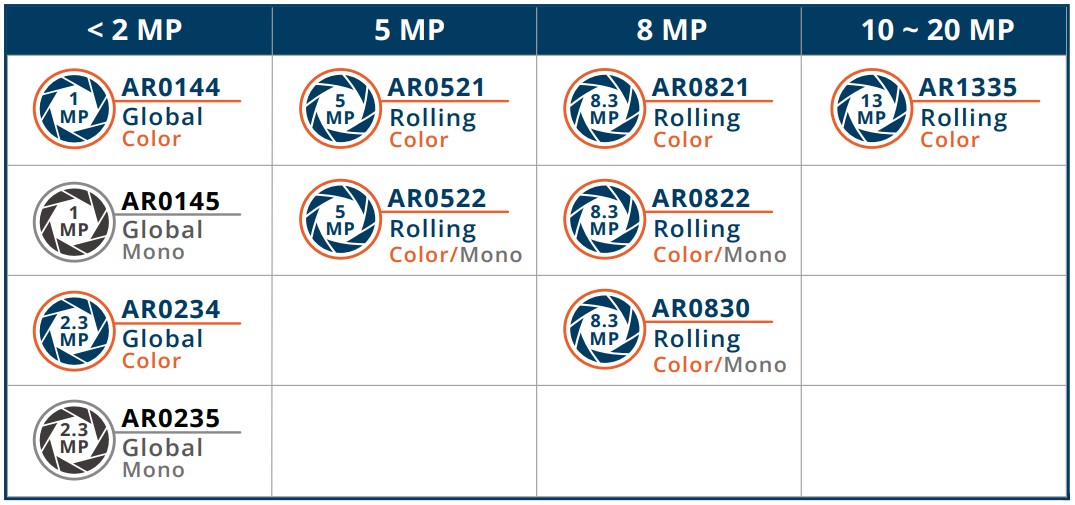
Check here ! 🔗 TechNexion Embedded Vision Solutions
Find out the solution which can accelerate your time to market for embedded vision projects.
Supported Development Kit
Recommended Tools & Software
Install TN Camera on STM32N6570-DK
Adaptor for STM32N6570-DK
TEVS-RPI22 Adaptor for TEVS camera
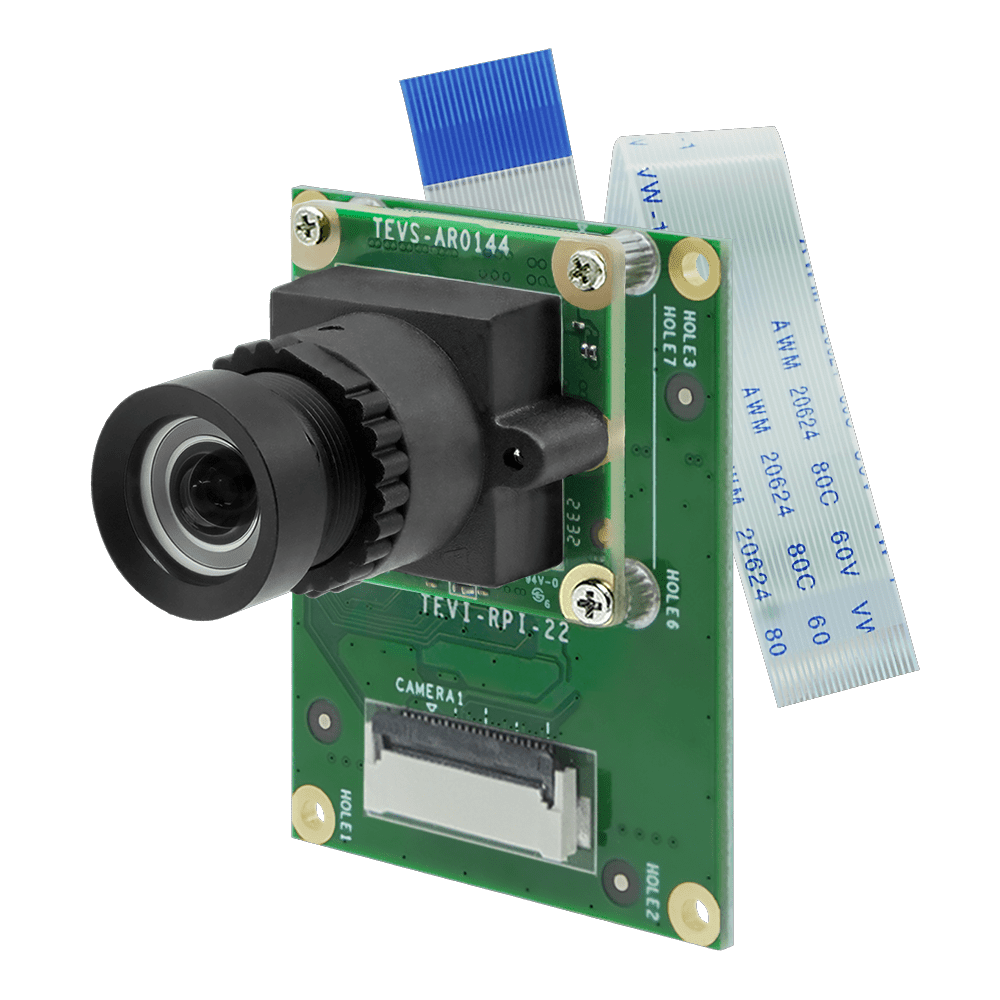
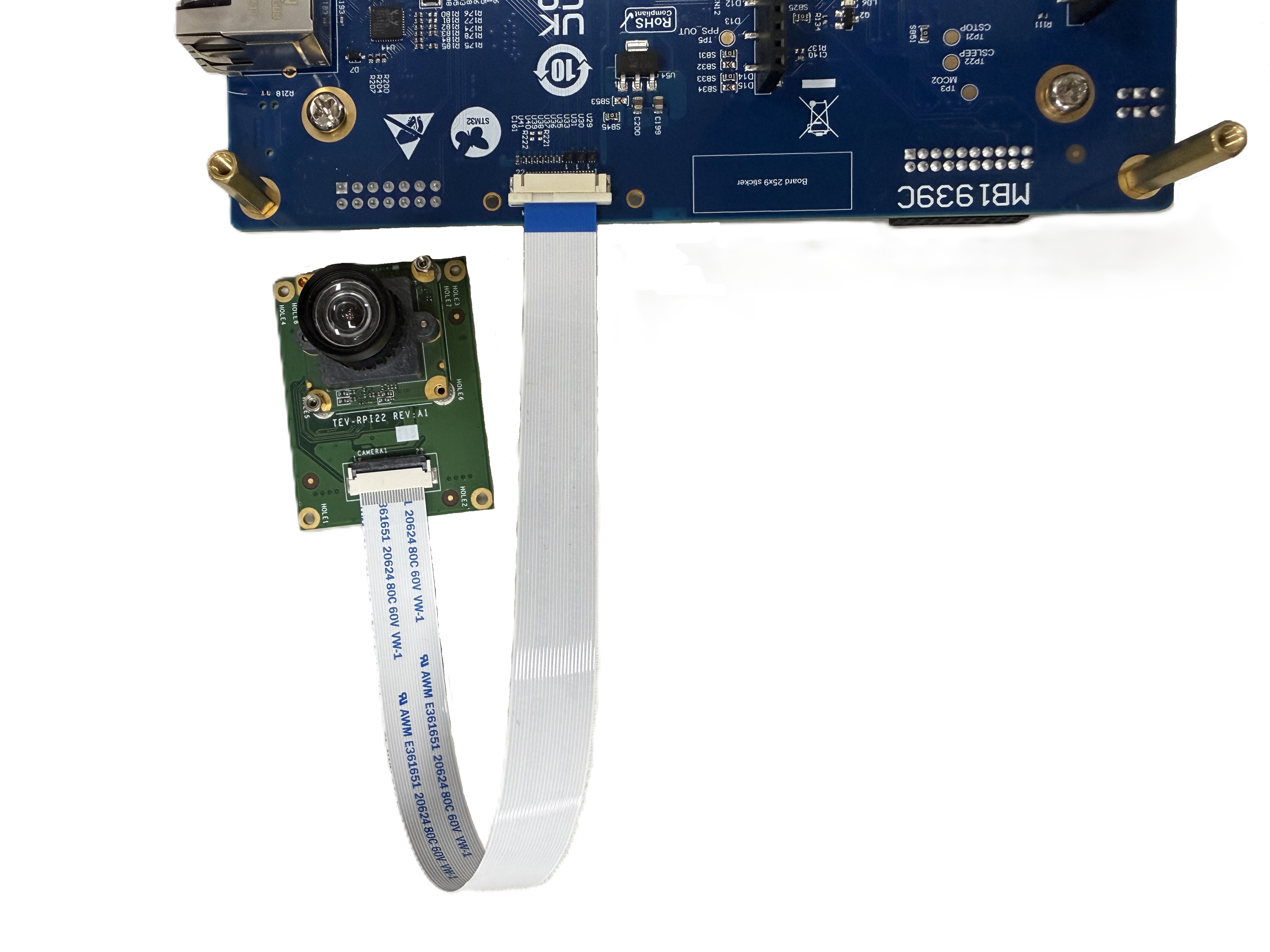
Connect TEVS camera and TEVS-RPI22 adaptor to STM32N6570-DK directly.
Method 1 - Run project with STM32CubeIDE
-
Download the TechNexion source code from GitHub.
$ git clone https://github.com/TechNexion-Vision/stm32n6_camera.git -
Import the project into STM32CubeIDE.
Select "File" -> "Import..." -> "Projects from Folder or Archive" -> "Next >" -> "Directory..." (choose your git floder path) -> "Finish".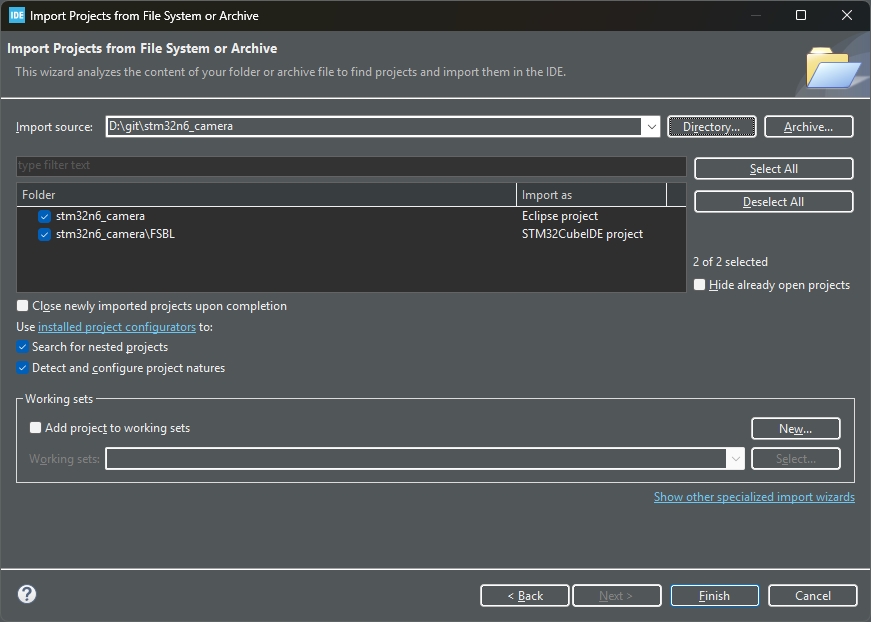
-
Generate code based on the project configuration file.
Open the "STM32N6570-DK-TEVS.ioc" configuration file, and then select "Project" -> "Generate Code" in the toolbar. -
Build project.
Select "Project" -> "Build Project" in the toolbar. -
Connect STM32N6570-DK - "CN6" with PC via USB-Type C.
warningA USB Type-C to Type-C cable must be used to ensure sufficient power supply.
-
Run project.
Select "Run" -> "Run" in the toolbar. You can see the camera's stream in real time on the LCD screen, and some informations on the terminal.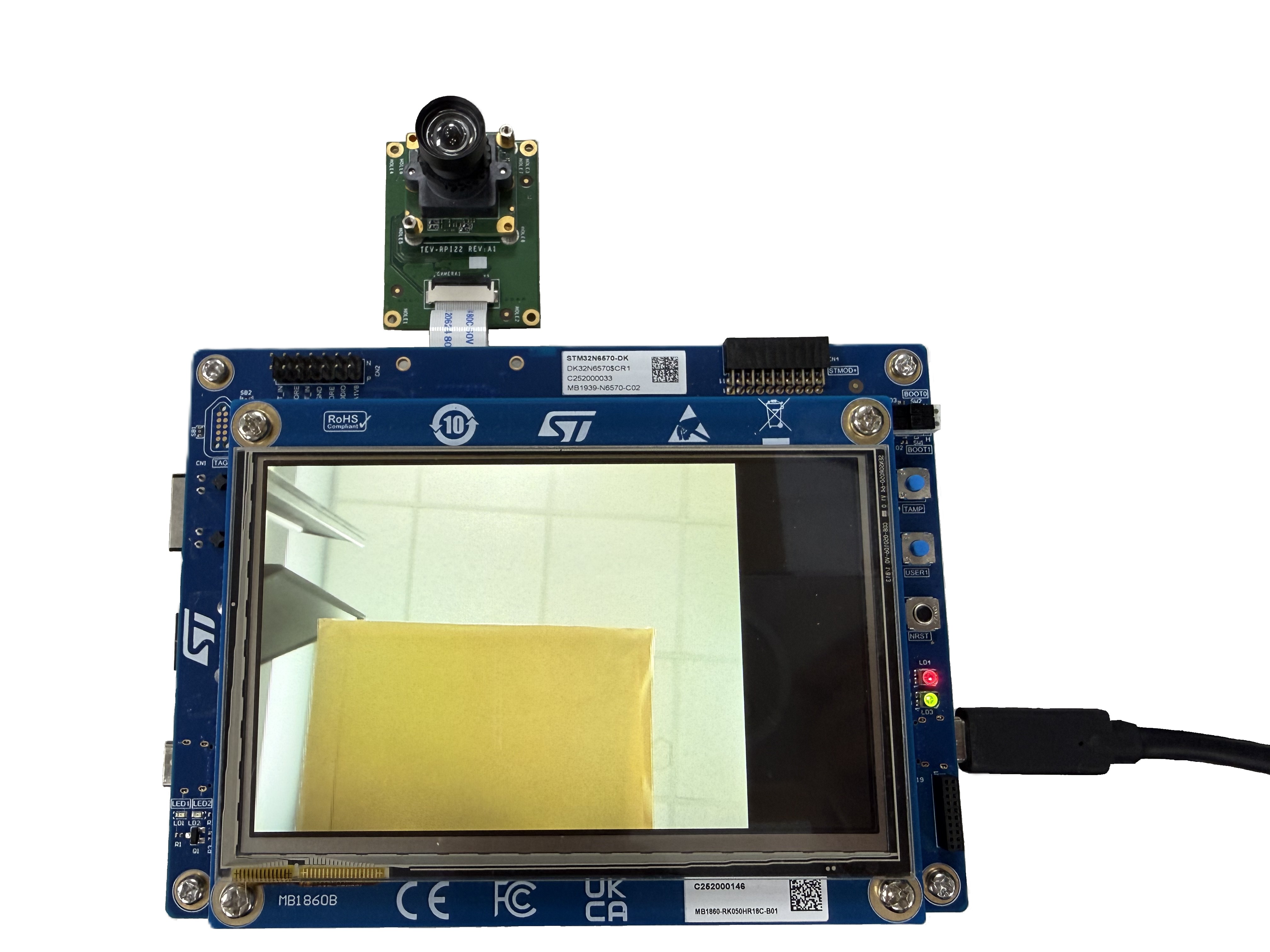
========== TechNexion TEVS ==========

[   INFO ] TEVS_Check_BootState(): bootup state: 0x0008
[   INFO ] TEVS_Init(): set TEVS default data frequency
[   INFO ] TEVS_Check_BootState(): bootup state: 0x0008
[   INFO ] TEVS_Init(): set TEVS preview format UYVY
[   INFO ] TEVS_Init(): set TEVS 2 lanes
[   INFO ] TEVS_Set_Stream(): sensor standby
[   INFO ] TEVS_Init(): TEVS version: 25.03.00.02
[   INFO ] TEVS_Set_Stream(): sensor wakeup
[ INFO ] TEVS_Set_Format(): TEVS resolution: 640x480@60tipThe terminal must be configured to implicitly include a CR in each LF.
Method 2 - Write FSBL binary to external flash memory
-
Download the pre-built FSBL binary file from TechNexion and extract it.
-
Set the boot mode in development mode. (BOOT1 switch position is 1-3, BOOT0 switch position doesn’t matter)
-
Connect STM32N6570-DK - "CN6" with PC via USB-Type C.
-
Open "STM32CubeProgrammer" and connect.
-
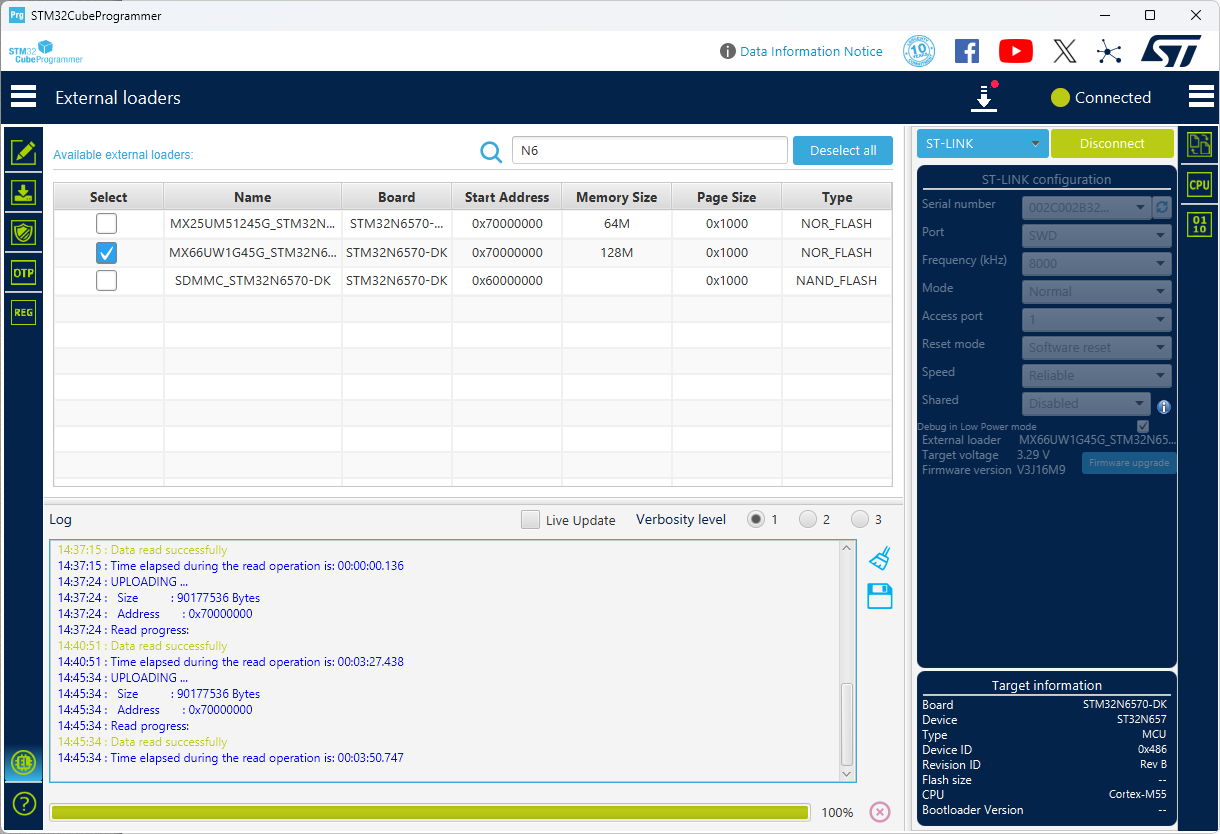
Ensure that the external loader for the flash memory is enabled.
-
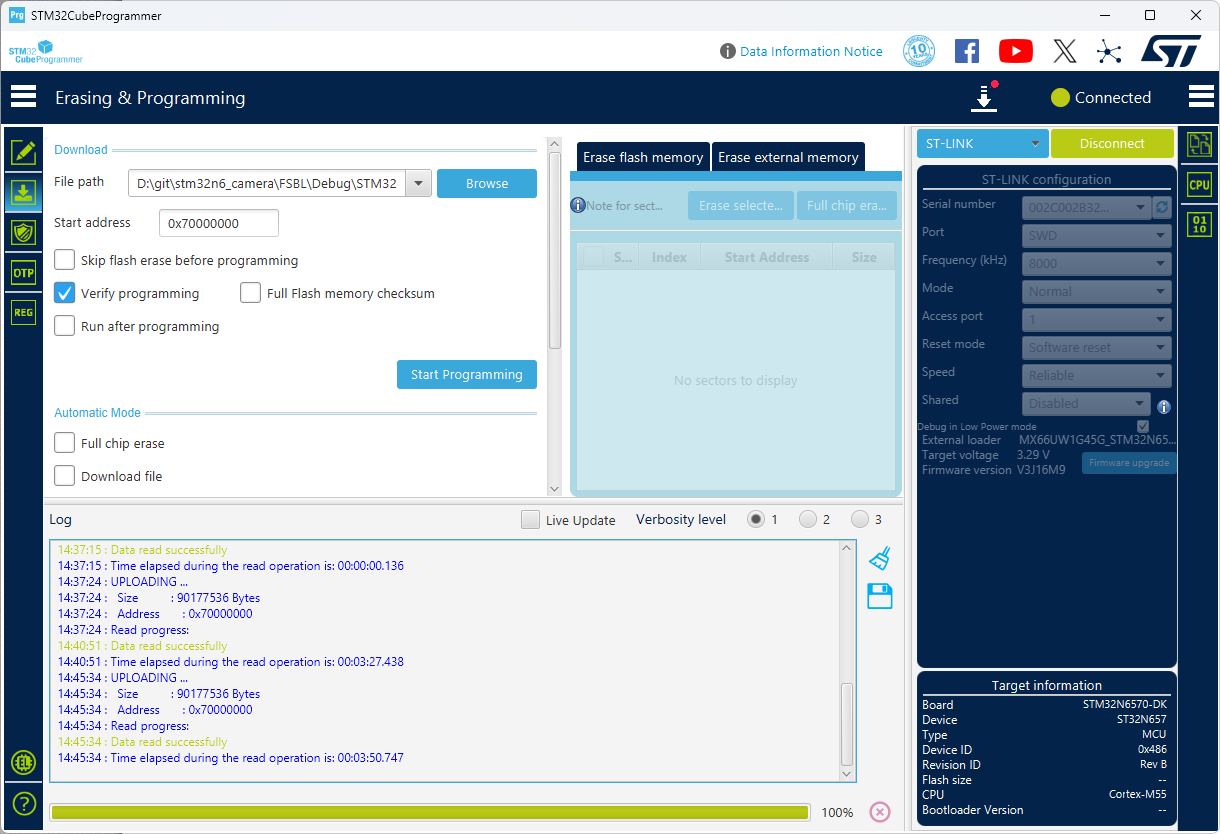
Use the address "0x70000000" to program the FSBL binary.
-
After programming is complete, set the boot mode in external flash mode. (BOOT1 switch position is 1-2)
-
Reset the board, the application will run.