sbom-cve-check Installation and Operation Guide
Introduction
sbom-cve-check is a lightweight, open-source CVE (Common Vulnerabilities and Exposures) analysis tool developed by Bootlin for analyzing Software Bill of Materials (SBOM) files. Written in Python with minimal dependencies and a simple workflow, this tool parses SBOM files in SPDX v2.2 or SPDX v3.0 format and generates comprehensive reports of known security vulnerabilities affecting the software components listed in your SBOM.
Prerequisites
You must have both of the following files in our demo_software/ folder before running sbom-cve-check:
- SBOM (SPDX v3):
{IMAGE_NAME}.rootfs.spdx.json - Yocto VEX manifest:
{IMAGE_NAME}.rootfs.json
Install Python 3.11 + venv (system prerequisites)
sbom-cve-check requires Python 3.11 or later, and using a venv is recommended.
sudo apt-get update
sudo apt-get install -y python3.11 python3.11-venv
Create a virtual environment + install sbom-cve-check
The official documentation recommends using a Python virtual environment (venv) and shows installing the tool (including optional extras) with pip install sbom-cve-check[extra].
python3.11 -m venv .venv
source .venv/bin/activate

pip install -U pip
pip install "sbom-cve-check[extra]"
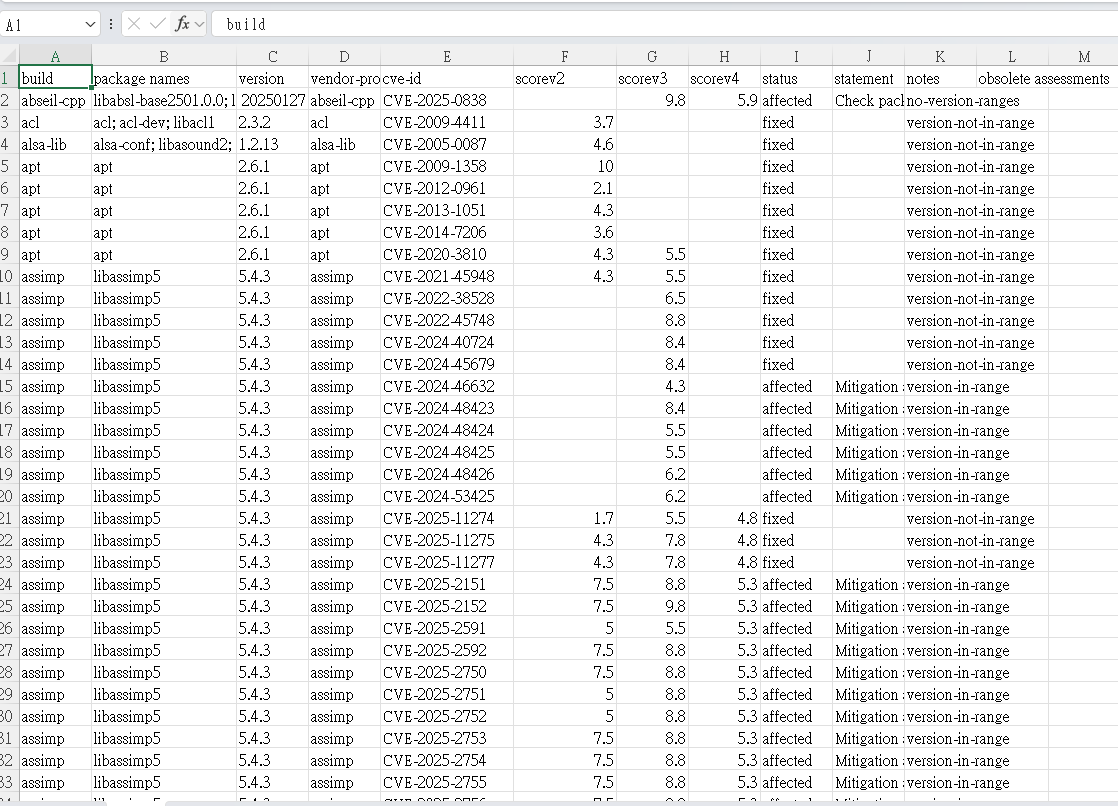
Run CVE analysis and export CSV
sbom-cve-check \
  --sbom-path {IMAGE_NAME}.rootfs.spdx.json \
  --yocto-vex-manifest {IMAGE_NAME}.rootfs.json \
  --export-type csv \
  --export-path out.all.csv
Conclusion
With sbom-cve-check, you can run CVE analysis outside Yocto by installing it in a Python 3.11+ environment (ideally in a venv) and then feeding it the two Yocto artifacts: the SPDX v3 SBOM (*.rootfs.spdx.json) and the Yocto VEX manifest (*.rootfs.json, generated via INHERIT += "vex" in your local.conf). Exporting with --export-type csv produces a report that includes a header and one row per CVE, making the results easy to triage in spreadsheets or scripts.